

Français · Nederlands · Português · Italiano · Deutsch
This benchmark email review covers Benchmark Email’s pricing, free plan limits and core tools, so you can judge whether it fits your list. I focus on what you actually pay and which features need a paid plan.
Key Takeaways
- Free plan: Up to 500 contacts and 1,000 sends per month, with no time limit.
- Pro plan: Starts at $12 monthly or $10 annually, and unlocks automated responses and list verification.
- Before you pay: Confirm current pricing and billing terms on the live page.
Check the current offer of Benchmark Email
Benchmark Email Review Pricing: Free, Pro and Send-Based Costs
The free plan costs $0 per month and covers up to 500 contacts, 1,000 sends per month, and one user. That works for testing templates or a small newsletter. Emailing a 500-person list more than twice a month, though, hits the cap fast.
Pro starts at $12 per month for 500 contacts on monthly billing, or $10 per month when billed annually. It supports 500 to 100,000 contacts, and monthly sending capacity is 10 times your contact limit. A 5,000-contact list can send up to 50,000 emails. Pro also includes automated responses, file attachments, list verification, removable Benchmark branding, and 1,500 monthly AI credits.
Billing period changes the real price, so any benchmark email review should check it first. The annual option saves $24 per year on the 500-contact tier. Pricing pages vary, so confirm the model and billing period on the live page before you pay.
Each extra Pro user costs $15 per month, so two additional seats add $30. Lists above 100,000 contacts fall under custom Enterprise pricing, which isn’t published, so request a quote directly.
Send-based plans suit small lists that email heavily, such as transactional mail. The 10,000-send plan costs $39 per month, with overage at $0.0040 per email. Plans at 100,000 sends cost $249 per month, and the 1 million-send plan costs $1,299 per month with overage at $0.0013 per email. If you send 12,000 emails on the 10,000 plan, the 2,000 extra cost $8.
Add-ons fill specific gaps. List verification costs $3 per 1,000 contacts, so cleaning a 20,000-contact list runs $60. Inbox testing costs $14 for 100 tests, and a dedicated IP costs $28.95 per month. I’d only pay for a dedicated IP once steady volume justifies it.
Free Plan Limits in This Benchmark Email Review
The Benchmark Email free plan caps you at 500 contacts and 1,000 email sends per month. If your list grows past 500 people, you’ll need a paid plan even if you send only a few emails. I’d check your contact count first.

Inside that cap, you get one user, one domain, two API keys and 500 monthly AI credits. That setup suits a solo owner who manages one website and wants to connect a single app. Teams with several senders or multiple brand domains will feel the limit quickly.
Some features stay locked. Automated responses, file attachments and list verification aren’t included. Automated responses matter most for onboarding sequences, so if a welcome series is your first priority, you’ll need to pay.
Who the free plan fits
Free works well for three situations: testing the platform, building a small subscriber list and sending low-volume newsletters. Say you run a newsletter to 300 readers once a week. That’s roughly 1,200 sends a month, which goes over the 1,000 cap, so you’d either trim the list or move to a paid tier.
Businesses with automated onboarding or higher volume need a paid plan. A store sending 2,000 emails a month will outgrow the free tier fast.
Permanent free tier and branding
The free tier is permanent, not a time-limited trial, so you won’t face a countdown. Benchmark branding appears on your emails and sign-up forms. If that logo matters for your brand, factor it into your decision.
Here’s my decision rule from this benchmark email review: if your list stays under 500 contacts and your monthly sends stay under 1,000, start free. If either number is near the limit now, or you need automation, budget for a paid plan from day one. Check both numbers each month.
Core Features and Email Automation Tools
This benchmark email review starts with the features I use most. The platform covers contact management, email creation, signup forms, automation, segmentation, integrations, and campaign tools. Daily work centers on contacts and signup forms, so I’d test those first.
Segmentation and Signup Forms
Tags sort subscribers by interest, source, or behavior. Dynamic lists then update on their own as tags change. A contact who clicks a pricing link can move into a sales group without any manual work.
Signup forms feed this system. Each form can apply a tag the moment someone joins, so the list stays organized from day one. I’d build one form per lead source, which shows exactly which page brings in the best subscribers.
Automation and Integrations
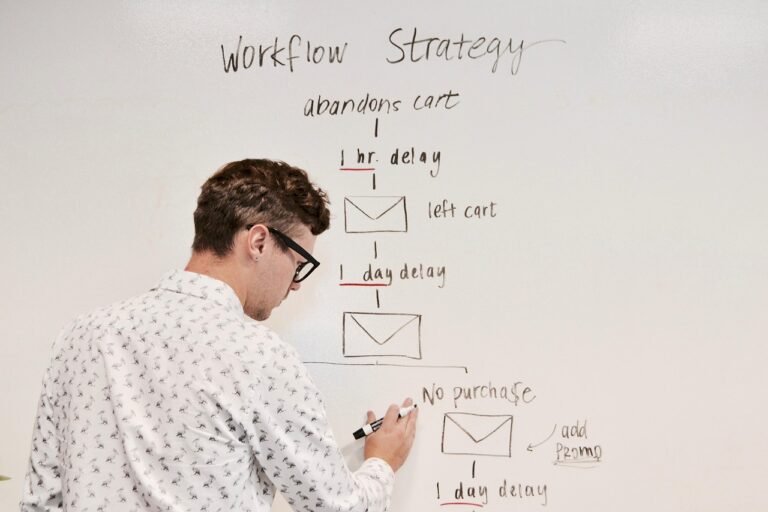
Automated series fire based on website activity and email engagement. A welcome sequence starts right after signup and guides new subscribers through onboarding. A simple version might send a welcome email immediately, a product tip two days later, and a reminder to readers who open neither.
Responses work differently. They send one email straight after a form submission, and they’re a Pro feature. Check your plan before you build a confirmation or download email.
Integrations extend the setup. Zapier connects Benchmark to other tools, so a new form entry can create a record elsewhere. Pro also expands API access for developers who want to push contacts in from their own code. You can manage email marketing from Claude as well. If you only need a basic welcome series, confirm which features your plan includes before you commit.
Strengths and Limitations Compared
The clearest advantage of Benchmark Email is its permanent free plan. You get 500 contacts and 1,000 monthly sends without a time limit, so you can test a real campaign before you pay anything. Send one newsletter to your full list, then compare the open and click rates against your own baseline.

The toolset covers several basic workflows. Automation, segmentation, list verification and signup forms all sit in one dashboard. Pro plans scale sending capacity up to 10x the contact limit, which matters once your list outgrows the free tier.
Where the Free Plan Stops
The free plan has hard ceilings. Once you pass 500 contacts or 1,000 sends in a month, you must upgrade. Free accounts also display Benchmark branding, which many brands won’t accept. Automation and list verification require a paid plan, so if either one is central to your process, budget for Pro from the start.
Team access is limited too. The free plan allows one user, and each extra Pro user costs $15 per month. Two additional users add $30 monthly on top of your contact fees.
Checking Costs and Enterprise Pricing
Pricing is the trickiest part. Benchmark Email has published several structures, including contact-based pricing, legacy or alternate pages, and send-based plans. Figures can differ depending on the page, so I confirm the current price at checkout before I commit. A benchmark email review should always start with the price you can verify yourself.
Large senders face the biggest gap. Send-based plans list volume tiers and overage rates, which helps you forecast monthly spend. Enterprise pricing for lists above 100,000 contacts is not publicly specified, so contact sales directly. Bring your contact count and average monthly send volume to that call.
Benchmark Email Verdict for Small Businesses
In this benchmark email review, my verdict is that Benchmark Email works well for small organizations that need newsletters, signup forms, segmentation and basic automation. It gives a small team the core tools without forcing them into complicated setup.
The free plan suits lists up to 500 contacts and modest monthly sending. If you’re just starting, that’s a sensible place to test your workflow. You can build a signup form, send a regular newsletter and see whether subscribers actually open your messages before spending anything.
When to Upgrade to Pro
Upgrade when you need automated responses, list verification, higher volume, team access or removal of branding. Each of these is a real business need, not a nice extra. If a missing feature is slowing your team down, that’s the signal to upgrade.
Choosing Between Contact and Send Pricing
Your main purchasing variables are contact-list size, monthly email volume, number of users, automation needs and the pricing model. On standard Pro, contact-based pricing ties your monthly cost mainly to list size. That model suits a steady list where you send regular updates to most subscribers.
Send-based plans suit a different pattern. If you have a small list but send large one-off campaigns, paying per volume can make more sense. Check your last few months of sending before you choose. Count your active contacts and your average sends per month. Then compare both models against those figures.
Benchmark Email is not universally cheap. Your final price depends on list size, billing term, sending model and optional services. I’d treat any starting price as a floor, not a quote. Ask for the exact figure for your list size before you commit, and check whether annual billing lowers the monthly rate.
Check the current offer of Benchmark Email
Sources: benchmarkemail.com/pricing, benchmarkemail.com/features/email-automation, benchmarkemail.com/pricing-v3-send-based-exp, benchmarkemail.com/download/PricingManual.pdf.
Disclosure: some links in this article are affiliate links. If you buy through them, I may earn a small commission at no extra cost to you. As an Amazon Associate I earn from qualifying purchases.
Read next
 ClickFunnels Review 2026: Honest Pricing, Plans, Pros and ConsUpdated 26 Nov 2026
 beehiiv review: 5 Honest Facts on Features and PricingUpdated 26 Nov 2026
 Moosend Review: 7 Key Facts on Features and PricingUpdated 25 Nov 2026
More guides from the Nomad & Travel Desk
Get our free Subscription & Bill Cancellation Tracker
Sign up for our weekly email and download the tracker for free: list every subscription, see what it costs you per year, get a renewal calendar and ready-to-send cancellation letters. One short email a week with our latest guides. No spam; unsubscribe with one click.