

Français · Nederlands · Português · Italiano · Deutsch
In this moosend review, I look at whether the platform’s automation and unlimited sending justify its paid plans. You’ll see what it costs, which features matter most, and who should skip it.
Key Takeaways
- Paid plans include unlimited sending, which suits lists that grow fast.
- Pricing starts at $9 per month, but your real cost depends on contacts and add-ons.
- Trial first: the 30-day free trial needs no card, so build one real automation before paying.
Check the current offer of Moosend
Moosend review verdict: automation and unlimited sending for paid plans
Moosend suits businesses that want serious automation without an enterprise price tag. The platform covers email campaigns, marketing automation, landing pages, subscription forms, audience management, A/B testing, AI-assisted writing, reporting, and SMTP. In this moosend review, I rate the paid plans highest because they include unlimited sending.
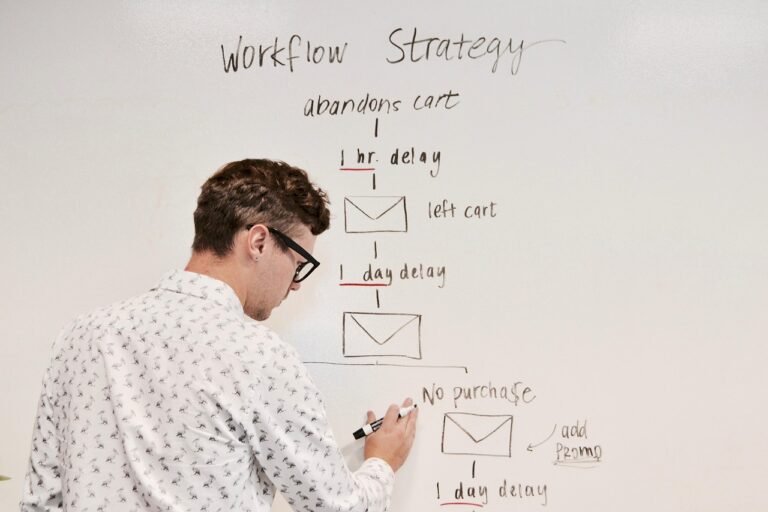
The visual automation builder is the standout feature. You drop triggers, such as a new signup or an abandoned cart, onto a canvas, then connect them to emails and time delays. Start with one workflow, like a three-email welcome series, and time how long it takes to finish. That test tells you more than any feature list.
Pricing needs a close look
The Moosend Pricing page lists starting prices as low as $9 per month for selected offerings. That figure is a floor, not a forecast. Your final cost depends on contact count, plan level, and add-ons, so a list of 5,000 subscribers will cost more than a list of 500. Enter your real list size on the pricing page before you commit.
Moosend’s homepage lists the same core tools, but it won’t show you your total cost. Pay attention to whether landing pages and SMTP matter to your workflow, since those choices shift the price. Skip any plan tier that bundles features you will never use.
Who should choose it
Choose Moosend if you send automated sequences and mail often, because unlimited sending removes the volume worry that comes with capped plans. If you only send an occasional newsletter to a small list, a cheaper tool will likely serve you better. Solo creators who also build an AI writing workflow can compare options in my guide to the best AI tools for small business.
Moosend review pricing: $9 starting price versus $16 for 1,000 subscribers
In this moosend review, the honest answer is that there is no single price. Your cost depends on your plan, your subscriber count, and whether you need Enterprise extras. Moosend advertises a 30-day free trial with no credit card required, so I’d test the platform before paying anything.
Where the $9 and $16 figures come from
Moosend’s published materials cite paid pricing starting at $9 per month for certain offerings, including unlimited email sending and automation features. A separate Moosend page puts the Pro plan at $16 per month for 1,000 subscribers. That tier adds forms, landing pages, SMTP access, real-time reporting, and audience management.
These two numbers describe different packages, so don’t compare them directly. Pro covers core email marketing and automation. Enterprise can add advanced features and custom add-ons, so its price moves with what you request.
Paid subscriptions include unlimited email sending, but plan and account terms still apply. I’d read those terms before assuming there are no limits, especially if you send large campaigns.
How to get a real quote
Start by counting your active contacts. If you have 1,000, the $16 Pro figure gives you a starting benchmark. Next, open the official pricing page or start checkout and enter your exact number.
Still comparing platforms? My guide to the best AI tools for small business places Moosend beside other options. If you also need hosting for landing pages, my Hostinger review covers the basics, and SiteGround vs Hostinger helps you pick a host. Paying overseas contractors for campaign work? My Payoneer review explains that side.
Moosend review features: builder, automation, API and Zapier integration
Email builder and AI writing
The Moosend Email Builder runs on drag-and-drop. You choose a customizable template, drop in content blocks, and adjust colors and fonts without touching CSS. That makes it practical if you have no coding background. In this moosend review, the builder earns its place on speed alone.
The AI Writer helps with subject lines and body copy. Treat its output as a first draft, not finished copy. For a wider look at writing tools, read this small business AI guide.
Automation, segmentation and reporting
The visual workflow editor maps customer journeys. Start from a pre-built template, such as a welcome series, then add triggers and multi-step branches. Set a delay between steps so messages arrive at sensible intervals rather than all at once.
Automation pairs with segmentation and personalization. You can route subscribers by sign-up source or by behavior, such as who opened or clicked. E-commerce journeys can also support personalized product recommendations. Real-time reports and A/B tests let you compare two subject lines on a sample before the winner goes to the rest of your list.
SMTP and transactional email are not included in every entry-level plan. Confirm the tier before you rely on it for password resets or order receipts. If your site runs on separate hosting, compare mail limits first, as covered in this hosting comparison.
Developers can use the API to create and manage campaigns and mailing lists programmatically. Non-developers can skip it entirely. Zapier connects Moosend with more than 1,000 applications, so new form
Moosend vs Mailchimp and the cheapest email automation question
This moosend review section starts with Moosend’s comparison page. It lists unlimited campaigns and unlimited email lists, while describing Mailchimp limits as varying by plan. Moosend also claims no overage fees and no extra charges for advanced features or duplicate contacts. Test those claims against your own contact count.

Mailchimp, according to that same page, offers broader features but can cost more at scale and has a steeper learning curve. Moosend’s published Mailchimp figures are $13 per month for Essentials (500 contacts), $20 per month for Standard, and $350 per month for Premium. Check these against Mailchimp’s pricing calculator before deciding, because plan prices shift.
Where the two differ in practice
Moosend gives paid subscribers unlimited sending and visual workflows built from templates. Mailchimp’s sending limits and automation depend on the plan you pick. Both list A/B testing, so that feature won’t settle the choice. Forms and landing pages are core to Moosend, while Mailchimp’s versions depend on your tier.
Moosend’s trial runs 30 days with no card required. Confirm Mailchimp’s trial terms directly, since that page doesn’t spell them out. Ask yourself whether you need Mailchimp’s broader feature set or whether simple campaigns and automation cover your work.
The cheapest email automation question
Moosend cites paid plans from $9 per month, but no provider is cheapest for everyone. The answer depends on five inputs: contact count, monthly send volume, automation needs, transactional email needs, and integrations. Write those numbers down first. A 500-contact list sending four campaigns a month has different needs than 20,000 contacts receiving daily welcome emails.
Then run a fair test. Load identical subscriber counts into each platform, switch on the same features, and total the monthly cost with add-ons. Factor in payment fees too, which my payoneer review covers if you collect money from overseas clients. If you need hosting for landing pages, my hostinger review and SiteGround vs Hostinger comparison cover plan costs. For more budget picks, read best AI tools for small business.
Moosend review: strengths, limitations, trial access and GDPR compliance
What Moosend does well
This moosend review starts with the 30-day free trial, which needs no credit card. It covers the email builder, templates, AI Writer, automations, segmentation, landing pages, and forms. That matters because you can build a real multi-step campaign instead of judging a demo.
Visual automation and pre-built templates make multi-step sequences easier to map out. A/B testing, reporting, and API and Zapier support round out the feature set. Unlimited sending is advertised for paid subscribers, which helps if your list grows fast.
Where the costs get tricky
The published starting prices of $9 and $16 per month look low. Pricing, though, depends on subscriber volume, package, and add-ons. A list that grows past your first tier can cost more than the entry price suggests.
Transactional email and advanced enterprise features may need add-ons or a custom plan. Claims that Moosend is cheaper than Mailchimp depend on your list size and which features you need. Before you commit, build a quote for your exact subscriber count and feature set.
Trial access and GDPR compliance
Start the trial with a small segment and build one automation from start to finish. Then test the landing page and form on a real device, not just in the editor. If your landing pages sit on a separate host, my Hostinger review explains that setup.
Moosend states it complies with the General Data Protection Regulation and other relevant privacy regulations. Treat that as a starting point, not proof. Read its data processing terms and confirm where subscriber data is stored before you upload EU contacts.
Check the current offer of Moosend
Disclosure: some links in this article are affiliate links. If you buy through them, I may earn a small commission at no extra cost to you. As an Amazon Associate I earn from qualifying purchases.
Read next
 ClickFunnels Review 2026: Honest Pricing, Plans, Pros and ConsUpdated 26 Nov 2026
 SendPulse Review: 500 Free Subscribers, Features & PricingUpdated 25 Nov 2026
 Luggage Set: 9 Essential Checks Before You Buy (2026 Guide)Updated 25 Nov 2026
More guides from the Business & Tools Desk
Get our free Subscription & Bill Cancellation Tracker
Sign up for our weekly email and download the tracker for free: list every subscription, see what it costs you per year, get a renewal calendar and ready-to-send cancellation letters. One short email a week with our latest guides. No spam; unsubscribe with one click.