

Español · Nederlands · Português · Italiano · Deutsch · Français
This aweber review explains what the free plan includes and what the paid tiers cost. I break down the email builder, automations, landing pages, and analytics so you can judge whether it fits your list size.
Key Takeaways
- Free plan: Covers up to 500 subscribers and 3,000 monthly sends, with one list and one automation.
- Paid plans: Start at $15 per month for up to 500 subscribers, so check current pricing on AWeber’s site.
- Best fit: Beginners and small lists that want email, landing pages, and basic automation in one tool.
Check the current offer of AWeber
AWeber review: Free plan limits and included tools
This aweber review section looks at the AWeber free plan. It supports up to 500 subscribers and 3,000 email sends per month, with no stated time limit. You can run a small newsletter for as long as you stay within those numbers.
Inside that plan you get one list, one landing page, one email automation, and one user. For a beginner, that covers the basics: collect sign-ups, send a newsletter, and run a single welcome sequence. Free-plan users can reach phone, chat, and email support, so you aren’t stuck alone when setup goes wrong.
The real constraints show up as you grow. Once you pass 500 subscribers, the free tier no longer applies. Five full sends to 500 people use 2,500 of your 3,000 monthly sends, leaving room for only one more.
Who the free plan suits
A hobby newsletter, a test idea, or a side project fits here well. If you need separate lists for customers and prospects, you
AWeber review: Paid plans, pricing, and free trial
AWeber’s automation information page lists paid plans starting at $15 per month for up to 500 subscribers. Plans scale mainly on subscriber count, so your current list size tells you where you’ll likely land. Count everyone, including people who haven’t opened an email in months.
Each tier adds capabilities rather than changing the core tool. Higher plans add expanded automation, landing pages, analytics, and support. Paid plans advertise unlimited email automations and priority 24/7 support, which matters if you run welcome sequences or abandoned-cart flows.
When I write an aweber review, I check which features I’d use in the first 90 days. Basic broadcasts fit the lowest tier. Multi-step automations usually mean budgeting for an upgrade now rather than getting surprised later.
Free trial
AWeber advertises a 14-day free trial for paid-plan features. That gives you two weeks to test automations, landing pages, and the editor. Set a reminder for day 12 so you can cancel or downgrade before billing starts.
Trials answer one question: does this tool fit my workflow? Build a real three-email welcome series during the trial and time the setup. That number tells you more than any feature list.
Checking the current price
Pricing pages often show promotional offers, so the number you see today may not be the final cost. Open AWeber’s official pricing page before you commit and confirm the monthly rate for your subscriber count. Compare that figure with the trial terms listed there.
Budget for hosting too if you run a website. My Hostinger review covers entry-level costs that pair well with a $15 monthly email plan.
Email builder, automation, landing pages, and analytics
Building campaigns and automations
For a quick aweber review, the drag-and-drop email builder is where most people start, and it needs no coding. You pick a template, drop in text, images, and buttons, then adjust colors to match your brand. AI writing tools draft body copy and subject lines, which helps when you’re stuck.
Beyond one-off newsletters and promotions, the RSS-to-email feature turns new blog posts, videos, podcast episodes, or product listings into formatted emails. Once you set the feed, new content goes out without you touching the campaign.
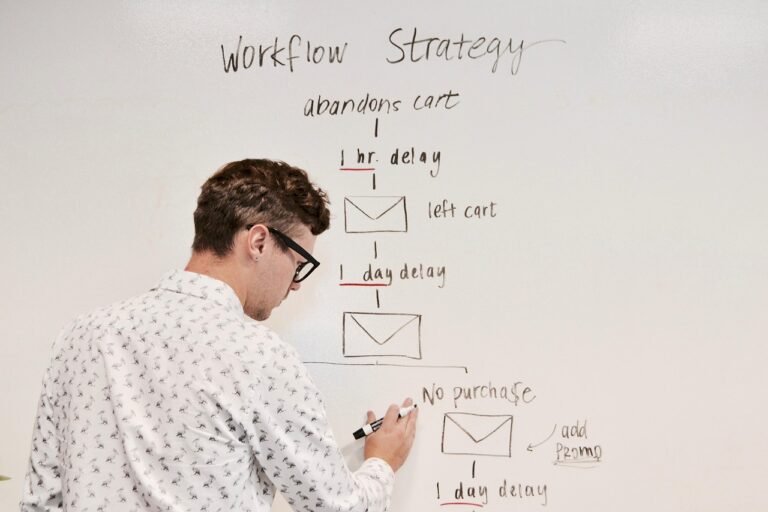
AWeber automation triggers fire when subscribers open an email, click a link, make a purchase, or receive a tag. The workflow builder lets you split people into different paths based on what they did. Prebuilt templates cover welcome sequences, sales funnels, and follow-ups.
Tagging is what makes behavioral segmentation practical. Tag anyone who clicks a pricing link, then send that group a different follow-up than someone who only opened your welcome email. Over time, that keeps messages relevant.
Landing pages and analytics
Landing pages and signup forms handle list building. I’d make one opt-in page per lead magnet and link it from your site, not bury a form in the footer. If you sell digital products from abroad, check our payoneer review for payouts.
AWeber analytics report sends, opens, and clicks for each campaign. The automation builder shows those numbers at every step, so you spot the email where people drop off.
Email click rate, meaning clicks divided by emails delivered, tells you more than open rate alone. When a step’s click rate drops sharply, I rewrite that one email first and compare results on the next run.
AWeber vs Mailchimp: What to compare
Start with AWeber’s own comparison page. It lays out pricing, subscriber limits, automation, integrations, migration help, and support side by side. Treat it as a starting point, not a final answer, since the company wrote it.
The free plan is the easiest place to test both tools. AWeber’s free tier gives you 500 subscribers, 3,000 monthly sends, one list, one landing page, and one automation. Pull up Mailchimp’s current free limits and compare them line by line. Check both on the day you sign up, because plans and promotions change.
Factors that matter most
Use this aweber review as a scorecard. Rate each platform on the same nine points: free-plan subscriber cap, monthly send volume, automation availability, landing pages, segmentation, integrations, support, migration help, and total cost at your expected list size. Price the paid tier at the list size you expect in twelve months, not today. A list that grows from 500 to 2,000 can change the winner entirely.
Automation deserves a closer look. AWeber highlights prebuilt and behavior-based automations, which trigger emails from what a subscriber clicks or opens. Build one welcome sequence in each tool with the same three emails. Time how long each takes and note which steps need extra clicks.
Migration and support
AWeber advertises free migration assistance, so ask whether it covers your current platform before you commit. Export your subscriber list first and confirm the file includes consent dates. Then check how fast replies arrive when you open a support ticket on the free plan.
Keep the decision simple. When your list stays under 500 and you need only one automation, the free tiers may cover you. When you need more sends or automations, compare paid prices at your real list size and pick the cheaper tool that does the job.
AWeber review verdict: Strengths, limitations, and who it suits
AWeber’s free plan is the easiest reason to try it. You get up to 500 subscribers, 3,000 monthly sends, landing pages, and one included automation. That’s enough to test a welcome sequence and collect your first few hundred signups at no cost.
The bigger draw is the bundle. Email, list building, automations, landing pages, ecommerce tools, and web push notifications share one dashboard, with support across several channels. Beginners can build a signup form and a welcome email without stitching together three vendors.
The free plan’s limits show up quickly. It allows one list, one landing page, one automation, and one user. Once you pass 500 subscribers or send more than 3,000 emails a month, you’ll need a paid plan, so model your growth before a big launch.
Who it suits
AWeber fits beginners and small businesses that want newsletters, basic automation, landing pages, and support in one tool. If you email a single list under 500 people, the free plan can carry you for a long stretch.
Look elsewhere if you need several workflows running at once, larger lists, more landing pages, or deeper reporting. Compare total paid-plan cost against alternatives such as Mailchimp, not the free tier alone. Pricing and promotions change, so confirm current figures on AWeber’s website before you budget.
Before you commit
Suitability depends on list size, sending volume, automation complexity, and required integrations. Write down your current subscriber count, then estimate the count and monthly sends six months out. If that projection crosses 500 or 3,000, price a paid plan now.
Hosting matters too if you run a site behind those landing pages, and my SiteGround vs Hostinger comparison covers that choice. Payments matter for sellers abroad, so my Wise review explains how payouts arrive.
Check the current offer of AWeber
Sources: aweber.com/aweber-vs-mailchimp.htm, aweber.com/email-marketing-features.htm, aweber.com/index-t2.htm, aweber.com/email-automation.htm.
Disclosure: some links in this article are affiliate links. If you buy through them, I may earn a small commission at no extra cost to you. As an Amazon Associate I earn from qualifying purchases.
Read next
 ClickFunnels Review 2026: Honest Pricing, Plans, Pros and ConsUpdated 26 Nov 2026
 SendPulse Review: 500 Free Subscribers, Features & PricingUpdated 25 Nov 2026
 Luggage Set: 9 Essential Checks Before You Buy (2026 Guide)Updated 25 Nov 2026
More guides from the Business & Tools Desk
Get our free Subscription & Bill Cancellation Tracker
Sign up for our weekly email and download the tracker for free: list every subscription, see what it costs you per year, get a renewal calendar and ready-to-send cancellation letters. One short email a week with our latest guides. No spam; unsubscribe with one click.